
What to do When Your Server Room Air Conditioning Fails.
Keeping a server room cool is critical to prevent hardware damage and downtime. But what happens when your air conditioning or precision cooling unit breaks down unexpectedly? Without proper temperature control, servers can overheat quickly, leading to costly failures. This post explores practical, hands-on ways to maintain an optimal server room temperature while your cooling system is offline.

Understand the Risks of Overheating in Server Rooms
Servers generate a lot of heat during operation. When the air conditioning fails, the temperature inside the room can rise rapidly, sometimes by several degrees per hour. High temperatures cause:
Reduced hardware lifespan
Increased risk of sudden shutdowns
Data loss or corruption
Performance throttling
Recognizing these risks helps prioritize immediate actions to protect your equipment.
Increase Airflow Manually
Without the precision cooling unit, you need to rely on alternative methods to move hot air away from the servers.
Use portable fans: Position high-velocity fans to blow air across server racks. This helps dissipate heat faster.
Open server cabinet doors: If your racks have perforated doors, opening them can improve airflow inside the cabinets.
Reduce Server Load Temporarily
Lowering the workload on your servers reduces heat generation.
Shift non-critical processes: Move batch jobs or backups to off-peak hours or other locations.
Limit user access: Temporarily restrict non-essential services or applications.
Power down unused equipment: Turn off servers or devices that are not in use.
These steps can buy valuable time while you fix the cooling system.
Use Temporary Cooling Solutions
If the outage will last several hours or more, consider temporary cooling options.
Portable air conditioners: These units can provide spot cooling but require proper venting to remove hot exhaust air.
Always monitor humidity levels closely, as excess moisture can damage electronics.
Monitor Temperature and Humidity Closely
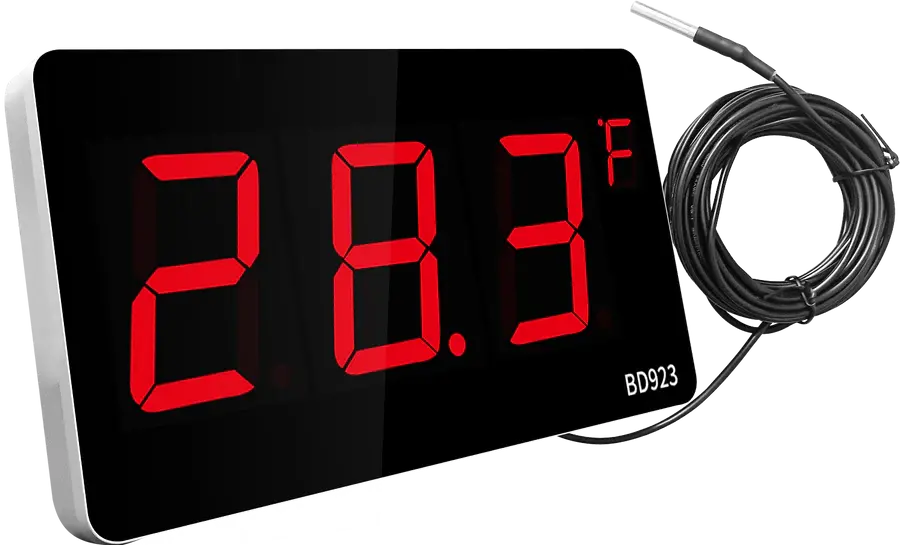
Use available sensors or handheld devices to track conditions inside the server room.
Set alert thresholds: Know the maximum safe temperature and humidity levels for your equipment.
Check frequently: Monitor readings every 15 to 30 minutes during the outage.
Document changes: Keep a log of temperature trends to inform future responses.
Early detection of rising temperatures allows faster intervention.
Plan for Long-Term Prevention
Once the immediate crisis is over, take steps to reduce the impact of future cooling failures.
Install backup cooling units: Redundant air conditioners or precision cooling systems can keep servers safe during outages.
Improve insulation and sealing: Prevent hot air infiltration and cool air loss by sealing gaps and insulating walls.
Implement environmental monitoring systems: Automated alerts can notify staff of temperature changes early.
Schedule regular maintenance: Prevent breakdowns by servicing cooling equipment routinely.
Investing in these measures reduces downtime risk and protects your infrastructure.


Comments